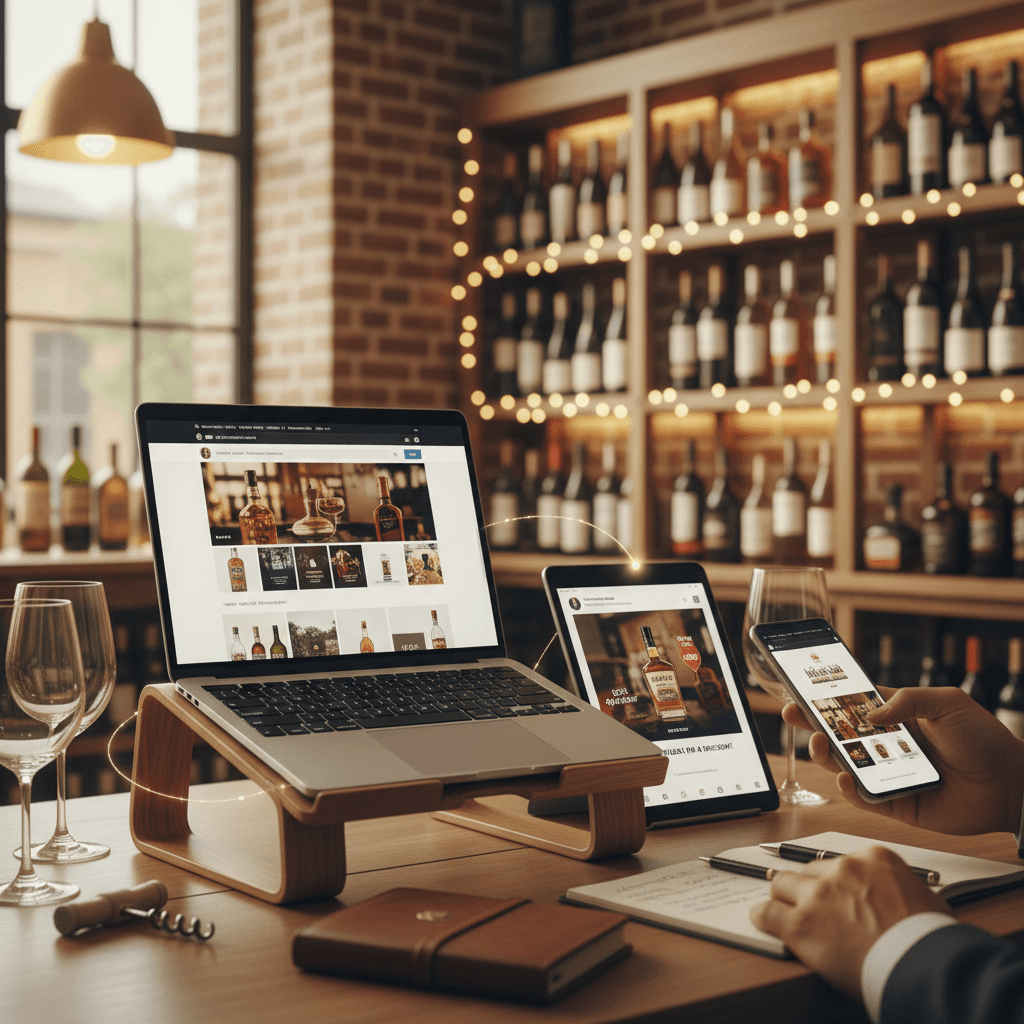
How to Set Up Retargeting Ads for Your Liquor Store Website: Pixel Installation, Audience Segmentation, and Creative Strategies That Bring Browsers Back to Buy
By Intentionally Creative14 min read
Listen to this article17:52
Schedule a free strategy call and Intentionally Creative will build a custom plan for you.
Schedule Your Free Strategy CallFree audit. No commitment.
Get a Free Audit. No commitment.
Learn how to set up retargeting ads for liquor stores — from pixel installation to audience segmentation and ad creative that converts browsers into buyers.
You spent real money getting people to your liquor store's website. SEO, social media, maybe even some Google Ads. They showed up. They browsed. And then they left — without buying a thing. If that cycle sounds familiar, you're not alone, and you're not powerless. Retargeting ads for liquor stores are the single most effective way to bring those browsers back and turn them into buyers.
This guide walks you through the entire retargeting setup — from installing your first tracking pixel to building audience segments that actually make sense for liquor retail, to creating ad creative that closes the sale. We've kept it practical, step-by-step, and free of unnecessary tech jargon. Whether you're running a single-location shop with a Shopify site or managing multiple stores with a growing e-commerce operation, you'll walk away with a clear action plan you can start executing this week.
The best part? You don't need a massive budget or a marketing degree. You just need the right foundation — and about an afternoon of focused work to put it in place. Let's get into it.
Here's a number that should keep you up at night: the vast majority of people who visit your liquor store's website leave without buying a single thing. They browse your bourbon selection, maybe peek at your wine specials, and then — gone. No purchase, no signup, no nothing.
That's not a traffic problem. That's a conversion problem. And retargeting solves it.
Cart abandonment is one of the biggest sources of missed online sales in e-commerce, according to Shopify's 2024 guidance. For liquor stores running e-commerce — whether you're shipping locally or offering pickup — every abandoned cart is real revenue walking out your digital door.
Discover 7 proven Instagram content ideas for liquor stores that boost engagement and drive sales. Learn how to promo...
The gap between browsing and buying is where most liquor store websites hemorrhage money. Someone adds a bottle of Clase Azul to their cart, gets distracted by their kid or their dog, and never comes back. Without a recovery strategy, that sale is just... gone.
Major retailers like Total Wine & More have reportedly used retargeting as a long-term tactic to drive site traffic and online sales — proof that this approach works at scale in liquor retail. The good news? You don't need their budget to run the same playbook.
Retargeting is simple: when someone visits your website, a small piece of code (called a pixel) tags their browser. Then, as they scroll Instagram or read the news, they see your ads — reminding them about that bottle they almost bought.
This isn't creepy. It's a digital version of a friendly follow-up. These people already raised their hand by visiting your site. You're just saying, "Hey, still interested?"
Stores that install their GA4 and Meta tracking pixels early position themselves for smarter paid advertising from the start. And when you layer in audience segmentation — separating wine browsers from whiskey buyers, for example — those follow-up ads get even more effective.
Avoid TTB violations and Google Ads suspension with this guide to alcohol advertising rules for liquor stores. Expert...
Bottom line: retargeting turns window shoppers into paying customers. For independent liquor stores competing against national chains, that's not optional. It's essential.
Now that you understand why retargeting matters, let's get into the how — starting with the technical foundation that makes everything else possible.
Here's the truth: the technology sounds more complicated than it actually is. A retargeting pixel is just a tiny snippet of code that watches what visitors do on your site — which products they browse, what they add to cart, and when they leave without buying. That last part is where all the money is.
The good news? Pixel installation follows a simple three-step process: (1) create the pixel in your ad platform, (2) place the pixel code on your website, and (3) add the audience segment to your campaign. That's it. Let's break down each platform.
Head to Meta Business Suite and open Events Manager. Click "Connect Data Sources," select "Web," and create a new pixel. Name it after your store — something like "Main Street Liquors Pixel" — so you can find it easily later.
10 proven liquor store social media content ideas to connect with customers, boost brand visibility, and drive both i...
From there, you've got two paths. You can copy the code and install it manually, or use a partner integration. If your site runs on Shopify, the integration is literally a few clicks — no code editing required. Either way, once it's live, the pixel starts collecting visitor data immediately.
For Google Ads retargeting, skip pasting code directly into your site. Instead, set up your Google Ads tag through Google Tag Manager. This gives you cleaner implementation and way easier troubleshooting — you can add, edit, or remove tags without touching your site code every time something changes. Your future self will thank you.
Every tracking script — Meta Pixel, GA4, Google Ads tag — gets pasted into the HTML header section of your website. That's the <head> tag area that loads before anything visible appears on the page.
If that sounds intimidating, don't sweat it. Platforms like Shopify and WordPress offer direct integrations or simple plugin options that handle placement for you.
One strong recommendation: install both GA4 and the Meta Pixel from day one. By the time you're ready to run paid campaigns, you'll already have weeks of visitor data fueling your audience segments. That head start is worth real money.
With your pixels firing and data flowing in, you're ready for the step that separates mediocre retargeting from the kind that actually moves the needle: segmentation.
Here's where retargeting ads for liquor stores go from "kind of working" to genuinely printing money: audience segmentation.
Not every visitor to your site has the same intent. Someone who loaded up a cart with three bottles of Blanton's and then bounced is a completely different prospect than someone who glanced at your homepage for eight seconds. Treating them the same — same ad, same offer, same urgency — is leaving revenue on the table.
Start with three core segments: cart abandoners, product page viewers, and homepage-only visitors. That's your manageable framework. You can get fancier later, but these three will carry your first campaigns.
This is your money segment. These people chose your products. They were ready. Something interrupted them.
Wineries have used display-ad reminders to recover abandoned carts for years, and the tactic translates directly to liquor retail. A simple "Still thinking about that Woodford Reserve?" ad with a direct link back to their cart can recover a meaningful percentage of abandoned purchases — some retailers report recapturing 10–15% of lost sales this way. That's real margin you're clawing back with minimal spend.
Someone who browsed your bourbon collection three times this week should see a different ad than someone who hit your wine sale page. Relevance drives clicks. Period.
Build segments around product categories — spirits, wine, beer, ready-to-drink — and tailor your creative accordingly. Segmentation doesn't need to be complicated, but it does need to be specific.
Before you launch a single retargeting ad, you need to understand the compliance landscape. Both Google and Meta have strict alcohol advertising policies, and violating them doesn't earn you a warning — it earns you an account suspension. Every dollar you invested in pixel installation, segmentation, and creative development goes up in smoke if your account gets banned.
This is non-negotiable across every platform: your ads cannot target minors. In the US, that means setting your minimum audience age to 21. You also need geographic targeting restrictions that limit ad delivery to states or regions where you can legally sell and ship alcohol. This is where segmentation gets a compliance layer — you're not just segmenting by behavior, you're segmenting by legal eligibility.
Your ad creative matters too. Never depict excessive consumption, never target underage audiences, and never make health claims. These are universal rules that will get your account permanently banned on any platform.
Google requires that alcohol ads only target legal-drinking-age users and comply with local laws in every geographic area where ads are served. In some cases, you'll need to apply for alcohol advertising certification before running campaigns.
Meta requires age and geographic restrictions on every alcohol-related ad. Set your audience minimum to 21 and restrict delivery to your legally approved regions.
The rules change periodically. Before launching any retargeting campaign, review each platform's current alcohol advertising policy page. Ignorance isn't an accepted defense when your ad account gets flagged.
With compliance locked down, let's talk about the practical side of running these campaigns — what to spend, what to measure, and how to know if it's actually working.
Here's the best part about retargeting ads for liquor stores: you don't need a big budget to see results. Even $10–20 per day works because you're not blasting ads at strangers — you're reaching people who already visited your site, browsed your products, or abandoned a cart full of weekend wine.
That's what makes retargeting one of the most cost-efficient forms of digital advertising for independent retailers.
Focus on four numbers: return on ad spend (ROAS), cost per acquisition (CPA), click-through rate (CTR), and frequency.
Frequency is the sneaky one. If someone sees your ad 8–10 times without converting, it's time to refresh your creative or tighten your audience segments.
Always benchmark retargeting against your prospecting campaigns. Retargeting should deliver higher ROAS — these people already know you.
One critical rule: give it 30 days before making major changes. Retargeting is a long-term tactic. Your pixel needs time to collect data and the algorithm needs time to optimize delivery. A one-week test tells you almost nothing.
Ready to put all of this into action? Here's your step-by-step launch plan.
Here's the truth: every day your site runs without a tracking pixel is customer data you'll never get back. So even if you're not ready to launch ads tomorrow, start capturing data today.
10+ years helping liquor retailers and beverage brands grow through data-driven digital marketing. Learn more
A visitor from yesterday is warm. A visitor from 30 days ago is lukewarm at best.
Your 7-day window is typically your highest-intent audience — bid more aggressively here and lead with your strongest offer. For the 8–30 day window, dial back your bids and shift messaging toward brand awareness or seasonal promotions. This alone will stretch your ad budget significantly further.
Segments built? Good. Now let's talk about the part your customers actually see — the ads themselves.
You've installed your pixel. You've built your audience segments. Now comes the part that actually makes you money — the ads themselves. The best retargeting ads don't try to reinvent the wheel. They remind people what they already wanted and make it easy to say yes.
Dynamic product ads are the heavy hitter of e-commerce retargeting. They automatically pull in the exact bottles a visitor browsed on your site and serve them right back in their social feed or across the web. Someone spent three minutes looking at a bottle of Clase Azul on Tuesday? Wednesday morning, that same bottle shows up in their Instagram feed.
This format works because it eliminates guesswork. You're not hoping a generic brand ad resonates — you're showing people the specific product they already expressed interest in. Dynamic ads consistently outperform static creative because the relevance is baked in.
For cart abandoners, sometimes a simple nudge is all it takes. An ad with the product image and a line like "Still thinking about that bottle?" can close the sale on its own.
If margins allow, layer in free shipping or a modest discount (think 10%, not 30%) to sweeten the deal. But test the reminder-only version first. You might be surprised how many people just got distracted and needed a tap on the shoulder, not a price cut.
A few rules that'll save you money and headaches:
The stores that nail retargeting creative treat it like a conversation, not a billboard. You're talking to someone who already walked into your shop and picked up a bottle. Your only job now is to hand it back to them.
Of course, before any of these ads go live, there's one critical area you absolutely cannot skip — and getting it wrong can cost you a lot more than a few lost sales.
Intentionally Creative specializes in web design strategies that drive real results. Let us show you what's possible.
Schedule a CallIf you run a single-location store on Shopify and you're reasonably comfortable inside Meta Business Suite, you can handle pixel installation yourself in an afternoon. The create-place-segment framework applies across platforms and keeps the process manageable.
But if you're managing a complex multi-location operation, want dynamic product ads that update automatically with your inventory, or need advanced cross-platform segmentation — that's where working with a specialized agency like Intentionally Creative ↗ pays for itself.
Install your pixels this week. The ads can wait. The data can't.
Every visitor who leaves your site without buying isn't gone forever — not if you have the right system in place. Retargeting ads for liquor stores give you a direct line back to the people who already showed interest in what you sell. The pixel captures them. Segmentation makes your messaging relevant. Smart creative closes the deal. And compliance keeps your accounts safe while you do it.
You don't need a six-figure marketing budget. You don't need a team of data scientists. You need a pixel on your site, a few well-built audience segments, and ads that remind people why they visited in the first place. Start with the checklist above, give it 30 days, and watch what happens to your conversion numbers.
And if you'd rather skip the learning curve and get it done right the first time, Intentionally Creative ↗ builds retargeting systems specifically for liquor retailers — from pixel installation to campaign management. Get in touch today ↗ and stop losing sales to the back button.