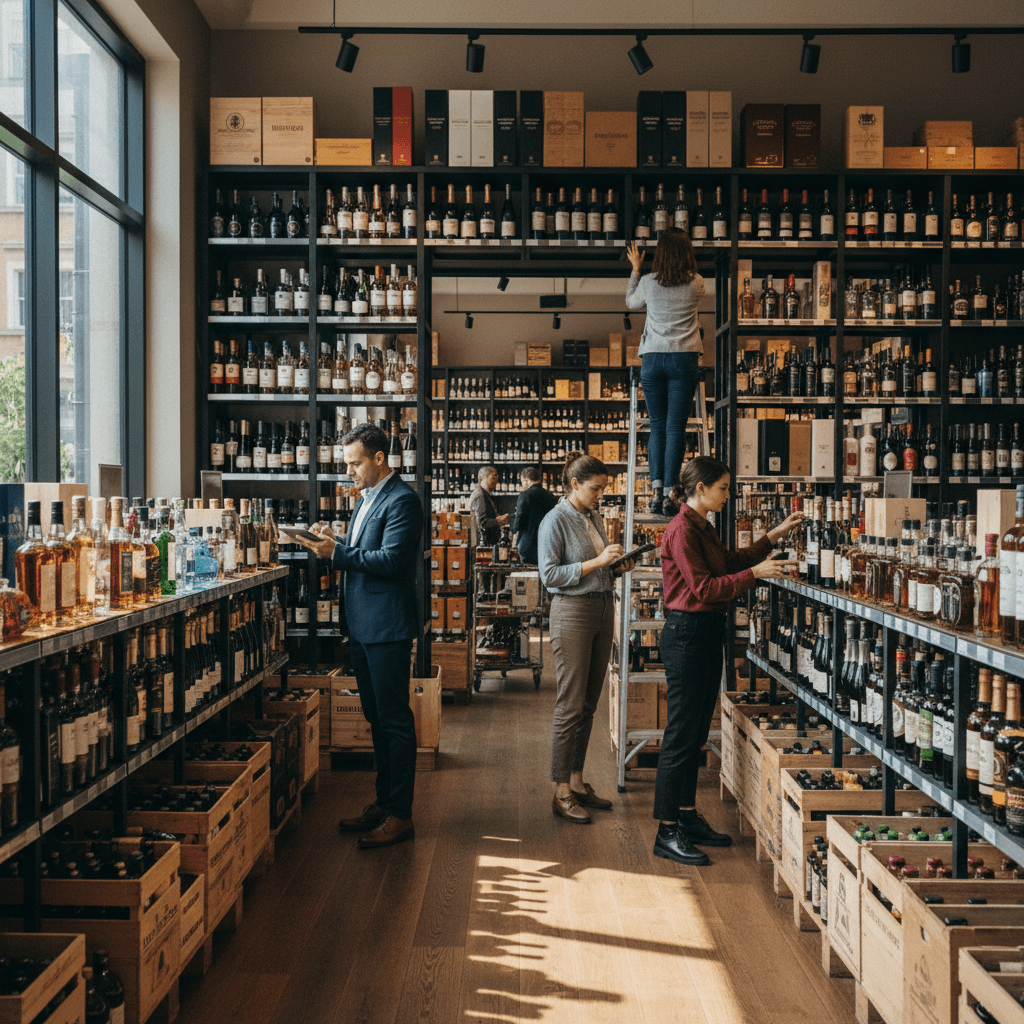
The Ultimate Guide to Liquor Store Inventory Management
By Alden Morris, Founder & Principal Strategist20 min read
Listen to this article26:00
Schedule a free strategy call and Intentionally Creative will build a custom plan for you.
Schedule Your Free Strategy CallFree audit. No commitment.
Get a Free Audit. No commitment.
Master liquor store inventory management with this comprehensive guide. Learn proven strategies for tracking stock, reducing shrinkage, optimizing reorder points, and increasing profitability in your retail liquor operation.
Liquor retail punishes sloppy inventory management fast. The average net profit margin for a liquor store runs between 2% and 5%, according to IBISWorld. At those margins, a single bad buying decision, 20 cases of a slow-moving bourbon nobody asked for, doesn't just sit on a shelf. It suffocates your cash flow.
Overstocking ties up capital you could deploy on high-velocity SKUs. Understocking sends your best customers to the competitor two miles away, and they don't always come back. The National Retail Federation estimates shrinkage costs retailers roughly 1.5% of revenue annually. For alcohol retail, where theft, breakage, and administrative error compound that number, the stakes climb higher.
Learn how email segmentation for liquor stores drives repeat sales with a 4,200% ROI. List-building tactics, purchase...
This isn't a theoretical problem. It's Tuesday afternoon and you're out of Tito's again.
Learn how to run compliant, high-performing Google Ads for liquor stores. Covers campaign setup, bidding strategies, ...
This guide was built for operators who are done guessing. Independent liquor store owners, multi-location operators, and retail managers will find actionable, data-backed strategies across every critical dimension of inventory management, from purchasing cadence and supplier negotiation to shrinkage control and technology adoption.
12 wine and spirits content marketing ideas for liquor stores that drive foot traffic, boost engagement, and move inv...
You'll walk away knowing exactly how to structure your inventory system, which metrics actually matter, and where most stores silently bleed margin.
Inventory management is important for liquor stores because the business model leaves almost no room for error. According to IBISWorld, beer, wine, and liquor stores operate on net margins as thin as 2–5%, meaning inventory mistakes, overstocking slow movers, understocking top sellers, or failing to track shrinkage, directly erode the small profit window that keeps a store viable. Liquor inventory carries unique complexity: state-mandated purchasing rules, perishable wine vintages, seasonal demand spikes, and a supplier tier system that limits flexibility. Research from AnythingResearch confirms that liquor stores face consistent margin compression from both competition and regulatory overhead. Precise inventory control is the single lever store owners can pull to protect profitability, improve cash flow, and build the customer trust that drives repeat visits. Every other operational decision, staffing, marketing, store layout, performs better when inventory is right.
Across the sections ahead, you'll find the framework to make that happen. No filler. No theory for theory's sake. Just the system that works.
Here's what actually happens when you "manage inventory" at a liquor store without a real system: you over-order Tito's because it feels like it's always running low, you sit on 24 bottles of a craft gin nobody asked for, and your cash is tied up in product collecting dust on a back shelf. That's not a storage problem. That's a systems problem.
So what, exactly, is liquor store inventory management?
Liquor store inventory management is the systematic process of ordering, storing, tracking, and auditing alcoholic beverage stock, spirits, wine, beer, and ancillary products like mixers and accessories, to maximize profitability and minimize loss. It's the operational backbone of your store. Unlike managing inventory at a hardware store or a clothing boutique, liquor retail carries a unique triple burden: regulatory compliance (ABC laws, purchase limits, state-specific distribution rules), high per-unit value on premium SKUs, and demand patterns that swing hard with holidays, trends, and local events. According to IBISWorld, the U.S. beer, wine, and liquor store industry generates over $69 billion in annual revenue, which means even a 1% shrinkage rate across the sector represents hundreds of millions in lost product. Your store's slice of that loss is entirely preventable.
Liquor store inventory management isn't just counting bottles. It's a continuous operational loop:
Here's what actually happens when you dump products into a single "inventory" bucket without structure: your reorder decisions become guesswork, your staff can't find anything efficiently, and slow-moving bottles quietly drain your capital for months before you notice.
Stores carrying 1,000+ active SKUs, which describes most mid-size liquor retailers, lose meaningful margin every year to disorganized categorization. The fix isn't complicated. It's systematic.
Build your category tree from the top down. Spirits → American Whiskey → Bourbon → Buffalo Trace. Every SKU needs a home in that hierarchy, and the naming convention must stay consistent across your POS, your inventory software, and your physical shelving.
This matters more than most owners realize. Inconsistent SKU naming, "Makers Mark 750" in one system and "Maker's Mark 750ml" in another, creates phantom inventory discrepancies that waste hours during reconciliation.
Don't forget ancillary inventory: mixers, glassware, and gift sets. These categories carry different margin profiles and velocity rates than your core alcohol SKUs. Track them separately. A gift set assembled in-house has a component cost structure; treat it like a manufactured product, not a simple retail item.
ABC analysis is the single most practical framework for liquor store inventory control. Here's the breakdown:
Here's what actually happens when you run out of Maker's Mark on a Friday night, you don't just lose that sale. You lose the customer's trust, and often the next three purchases they would have made while they were in your store.
The myth worth busting first: Most liquor store owners think reorder points are just "low stock alerts." They're not. A reorder point is a calculated trigger that accounts for how fast a product moves and how long it takes to get more of it. Set it wrong and you're either drowning in working capital or staring at empty shelves.
The formula is straightforward:
Reorder Point = (Average Daily Sales × Lead Time) + Safety Stock
Here's a real example. Say your top-selling bourbon moves 3 bottles per day. Your distributor delivers every 5 days. You want 6 bottles as a buffer for demand spikes.
Reorder Point = (3 × 5) + 6 = 21 bottles
When your on-hand count hits 21, you place the order, not when you hit zero, not when you notice the shelf looks thin.
Seasonal adjustment matters here. Holiday windows (Thanksgiving through New Year's) and summer beer season can spike daily sales velocity by 30–50% on key SKUs. Recalculate your reorder points in early November and again in late May. Treat them as living numbers, not set-it-and-forget-it thresholds.
Par level and reorder point are related but different. Your reorder point tells you when to order. Your par level tells you how much to order back up to.
Founder and Principal Strategist at Intentionally Creative. 10+ years in three-tier beverage industry marketing, 3 patents pending, CityHive partner. Runs growth for independent liquor retailers and DTC brands.
The word systematic carries real weight here. A system means you're not making gut-feel reorder decisions at 10 PM on a Tuesday. You're working from data.
These five numbers tell you whether your inventory is working for you or against you:
Most independent liquor store owners track COGS. Fewer track GMROI. The ones who do make significantly better shelf-space decisions.
A general retailer can call any wholesaler, negotiate terms, and reorder on demand. Liquor retail doesn't work that way.
Your purchasing runs through a state-regulated three-tier system: supplier to distributor to retailer. That means your reorder options are constrained by which distributors are licensed in your state, what they carry, and their delivery schedules. Miss a rep's order window and you're waiting a week. In 13 control states, you're buying directly from a state-run agency, with even less flexibility.
Demand volatility adds another layer. Research from Penn State Extension shows that holiday periods, Thanksgiving through New Year's, can represent 25–30% of annual spirits volume for many off-premise retailers. Craft spirits trends move fast too. A category that's flat in Q1 can spike in Q3 based on a single viral moment or a distributor pushing a new brand hard.
High-value SKUs, allocated bourbons, aged single malts, prestige Champagne, require security protocols beyond standard retail: locked cases, access controls, and documented chain of custody from receiving to sale.
Try this yourself: Pull your DOH report for every SKU sitting past 60 days. That list is your cash flow problem, made visible. Start there.
Here's what actually happens when a liquor store owner decides to "just use a spreadsheet", six months later, they're doing a physical count at 11pm on a Sunday, surrounded by bourbon bottles, wondering why their cost of goods is off by $4,000 and nobody can explain it. That's not a hypothetical. It's a pattern I've seen repeated across dozens of stores.
The system you choose to track inventory isn't just an operational detail. It's the backbone of every purchasing decision, every margin calculation, and every conversation you'll have with a distributor rep who's trying to convince you to take on more case stack than you need.
Spreadsheet-based tracking works, under very specific conditions. A single-location store with fewer than 300 active SKUs, a hands-on owner doing daily counts, and low staff turnover can run a clean manual system. The math is simple: if you can physically see everything you stock and you're the one entering the data, human error stays manageable.
But scale past that, and the hidden costs pile up fast. Labor hours spent on manual counts typically run 8–12 hours per week for a mid-size store. Error rates in manual data entry hover around 1–3% per transaction, which sounds small until you realize that compounds across thousands of line items. Audit gaps become a real liability issue, especially in a regulated industry where the state may require you to demonstrate accurate records on demand. Spreadsheets don't timestamp. They don't flag discrepancies. They don't alert you when a case of Casamigos walks out the back door.
Manual systems also create a single point of failure: the person who built the spreadsheet. If they leave, good luck decoding the formula logic in column AQ.
A modern POS system auto-decrements inventory at the moment of sale. Every scan, every transaction, the system updates your stock count in real time without anyone touching a clipboard. That's the baseline expectation now, not a premium feature.
The features that actually separate good POS systems from average ones in liquor retail: barcode scanning that handles both UPC and internal SKUs, low-stock alerts with configurable thresholds by product category, and sales reporting that shows velocity by SKU, not just total revenue. You want to know that your Wheatley Vodka 1.75L moves 14 units a week on average, not just that spirits were up 12% last month.
Three platforms dominate liquor retail right now. Bottle POS was built specifically for liquor stores and handles age verification, bottle deposit tracking, and mix-and-match case pricing natively. Lightspeed offers stronger multi-location reporting and deeper e-commerce integrations. Revel Systems plays well in larger footprint stores with more complex back-office needs. Each has tradeoffs. Bottle POS wins on industry-specific functionality. Lightspeed wins on scalability. Revel wins on enterprise customization.
Most liquor stores should use software-based inventory management rather than manual methods. For stores managing more than 400 SKUs, running multiple locations, or processing more than $1 million in annual revenue, POS-only inventory tracking creates blind spots that cost real money. Dedicated inventory platforms like Cin7, Unleashed, or spirits-specific tools layer on top of your POS to add purchase order automation, vendor management, and multi-location stock synchronization. They track inventory across the full purchase cycle, from the moment a PO is issued to a distributor through receiving, stocking, and sale. They also integrate directly with QuickBooks and Xero, which means your accountant isn't manually reconciling COGS at month-end. According to research from IBISWorld, beer, wine, and liquor stores operate on average net margins of 2–5%, which means inventory accuracy isn't a nice-to-have, a 1% shrinkage problem can erase half your profit margin on a given product category. Software-based systems pay for themselves through tighter controls, faster audits, and purchasing data that actually reflects real demand patterns.
Barcode scanning is the single fastest way to cut receiving errors. When a distributor drops 14 cases at your back door, a staff member with a handheld scanner can verify the delivery against the PO in under four minutes. Without scanning, that same check takes 20 minutes and introduces multiple opportunities for miscount. The ROI is immediate and measurable.
RFID is a different conversation. The technology embeds a chip in each bottle or case that broadcasts its location and status to readers placed throughout your store. For high-volume operators, think a store moving $5M+ annually or a multi-location group, RFID enables real-time inventory visibility without physical counts. You can know your exact stock position at any moment without anyone touching a scanner. The barrier is cost: RFID implementation runs $10,000, $50,000 depending on store size and tag volume. For a single mid-size store, the math usually doesn't work yet. For a five-location group with a shared warehouse, it starts to make sense.
Try this yourself: Pull your last 90 days of sales data and identify your top 50 SKUs by unit velocity. Then check how often those specific products triggered a stockout or a "we're almost out" scramble. If that number is more than five times across any single SKU, your current system, manual or POS-only, has a gap that technology can close.
Intentionally Creative specializes in digital marketing strategies that drive real results. Let us show you what's possible.
Schedule a CallApply ABC logic to reorder frequency: A-items get automated triggers, B-items get scheduled reviews, C-items get quarterly audits with a liquidation threshold built in.
A liquor store should organize its inventory using a tiered category system (Spirits, Wine, Beer, plus ancillary), consistent SKU naming conventions across all platforms, and ABC analysis to prioritize reorder frequency by product value and velocity. A-items, high-value, fast-moving SKUs like top-shelf vodka or bourbon, require tight cycle counts and automated reorder triggers. B and C items follow progressively less frequent review schedules. Physical organization should follow FIFO (First In, First Out) rotation, ensuring older stock moves before new receipts. High-value bottles need secure back-of-house storage with access controls and separate tracking from floor inventory. Research from IBISWorld confirms that operational efficiency, including inventory control, is a primary driver of margin retention in retail liquor. Separating back-of-house receiving stock from floor-ready product eliminates shrinkage blind spots and makes cycle counts faster and more accurate.
FIFO isn't just for perishables. Wine with vintage dates, beer with freshness codes, and even spirits with batch numbers benefit from rotation discipline. Receiving new stock and placing it in front of existing product is a common mistake, one that quietly ages your older inventory past its prime sales window.
For high-value bottles (allocated bourbon, aged single malts, premium Champagne), treat back-of-house storage like a vault: limited access, logged entries, and separate inventory records from your floor stock. The gap between what your POS says you have and what's physically on the shelf is where shrinkage lives.
Try this yourself: Pull your bottom 20% of SKUs by velocity. Calculate how much shelf space and capital they're consuming. Then set a 90-day liquidation rule, discount, bundle, or return them. That freed capital goes directly toward stocking more A-items that actually sell.
Par level = the maximum quantity you want on hand for a given product, based on sales velocity and storage capacity.
For a mid-velocity Cabernet moving 10 bottles per week with a 7-day lead time, your par level might be 25 bottles, enough to cover the lead time, the safety stock, and a few days of normal sales on top.
How to set par levels that actually work:
According to IBISWorld, beer, wine, and liquor stores operate on tight margins averaging 21–24% gross profit. Tying up cash in overstocked slow-movers directly compresses that margin. Par levels are how you prevent that.
The purchase order process is where good inventory math either gets executed, or falls apart.
To calculate reorder points for a liquor store, use this formula: Reorder Point = (Average Daily Sales × Supplier Lead Time in Days) + Safety Stock. For example, if a bourbon SKU sells 4 bottles daily, your distributor delivers in 4 days, and you want 8 bottles as safety stock, your reorder point is 24 bottles. When inventory drops to 24, trigger the order. Adjust the average daily sales figure seasonally, holiday periods typically inflate velocity by 30–50% on premium spirits. Safety stock should reflect your tolerance for stockouts; high-margin, high-velocity items warrant more buffer. Review reorder points quarterly, or any time a product's sales trend shifts materially. Inventory software like Lightspeed or KORONA POS can automate these triggers so the math runs in the background without manual tracking.
What to do instead of winging your POs:
Try this yourself: Pull your last 30 days of sales data, identify your top 10 revenue-generating SKUs, and calculate a reorder point for each using the formula above. You'll likely find at least two or three products where your current reorder trigger is dangerously low.
Picture a store owner, late on a Tuesday night, counting bottles by hand under fluorescent lights, cross-referencing a clipboard against a spreadsheet that hasn't been updated since Friday. That was the standard not long ago. Many stores still operate that way. The ones pulling ahead don't.
Liquor store inventory management has shifted from a back-office chore into a genuine competitive advantage. According to IBISWorld, the beer, wine, and liquor store industry generates over $80 billion annually in the U.S., and the margin between a thriving store and a struggling one often comes down to how precisely operators understand what's on their shelves, what's moving, and what's quietly bleeding cash.
The stores worth visiting, the ones customers return to, recommend, and trust, treat their inventory like a curated, living collection. Not a commodity to be counted, but a story to be told. A well-managed shelf communicates expertise. It says: we know what our customers want before they ask.
That's the deeper purpose underneath every reorder point, every cycle count, every ABC analysis. Operational discipline isn't the goal. Serving customers exceptionally well is the goal. Discipline is just how you get there.
The most important takeaway from liquor store inventory management is that stock control is not an administrative function, it's the engine of your entire retail operation. Shrinkage, dead stock, and stockouts don't just hurt margins; they erode customer trust and limit your ability to compete. Research from IBISWorld and industry data from Penn State Extension both point to tightening margins and shifting consumer preferences as defining pressures for retail liquor operators in 2026. The stores that respond with precision, using cycle counts, tiered ABC classifications, demand forecasting, and digital tools, consistently outperform those that don't. Mastering liquor store inventory management means knowing your velocity by category, your seasonal demand curves, your supplier lead times, and your true carrying costs. Get that right, and everything else, customer experience, cash flow, growth, follows naturally from it.
Start with an honest audit. Pull your current inventory system against the frameworks covered in this guide, ABC classification, reorder points, shrinkage controls, seasonal planning, and identify where the gaps are. You don't need to fix everything at once. Find the single highest-impact change you can make this week. Set up cycle counts if you haven't. Review your reorder points before the next holiday run. Tighten your receiving process. Small, precise moves compound fast.
If you're ready to stop managing your operation reactively and start running it with the same intentionality the best retailers bring to every decision, consider working with a partner who actually understands this industry. Intentionally Creative ↗ works exclusively with retail liquor operators, bringing expertise across all three tiers of the beverage alcohol system to help stores like yours build operations that scale. Grab a bottle of something you've been meaning to open, and let's talk about what's possible.